
Executive Summary & Key Takeaways
Key Insights- Separate model decisions from business rules; treat tool permissions as security boundaries; require approval for high-impact actions; make retries and idempotency explicit; trace every workflow step; turn failures into regression tests.
Quick Definition / Direct Answer
Direct SummaryEnterprise AI workflow automation combines model-driven decisions with explicit business rules, tools, approvals, and operational controls. Production workflows should define which steps are deterministic, which actions require authorization, how failures retry or pause, and how every action is traced and audited.
Enterprise AI Workflow Automation: What It Means
Enterprise workflow automation combines intelligent decision-making with explicit process controls. A model can classify a request, extract information, select a next step, summarize evidence, or propose an action. The workflow should still determine what is allowed, what requires authorization, what can be retried, and what must stop.
This distinction matters because business processes have consequences outside the model. A workflow may update a customer record, issue a refund, change an account, create a ticket, send a message, approve a transaction, or call an internal service. Those actions need deterministic controls even when the reasoning that leads to them is probabilistic.
The production goal is controlled autonomy. Give intelligent components enough freedom to handle variable inputs, but keep permissions, approval rules, state transitions, and failure handling explicit.
Need AI or Software Engineering Support?
Turn your ideas and technical challenges into reliable, scalable solutions with Acadify. From AI development and automation to software engineering and product development, we help businesses build and grow with confidence.
Automation vs. agent autonomy
Traditional automation usually follows a predefined path. An agent can choose among tools or steps at runtime. Enterprise systems often need both. Use deterministic workflow logic for policy, authorization, ordering, and irreversible actions. Use model-driven components where language understanding, classification, summarization, or flexible planning adds value.
Why Enterprise Workflows Need More Than an Agent
An open-ended agent can be useful when the next step is uncertain. A business process often has the opposite requirement: predictable sequencing, authorization boundaries, auditability, and controlled exceptions.
For example, an employee-support workflow might classify a request, retrieve policy information, draft a response, and decide whether a specialist is needed. The workflow can keep those steps explicit while allowing the model to handle language and classification.
Use an agent where uncertainty adds value
Model-driven planning is useful when inputs vary and several valid paths exist. It is less appropriate for policy decisions that must always follow the same rule. Keep deterministic controls outside the model when they affect money, permissions, compliance, irreversible state changes, or security boundaries.
Use workflows for durable process structure
A workflow can define states such as received → classified → enriched → approved → executed → verified. Each transition can have a clear owner, timeout, retry policy, and audit event. The intelligent component operates inside that structure rather than replacing it.
This approach also makes failure recovery easier. If an execution step fails after approval, the system can resume from a checkpoint instead of asking the model to reconstruct what happened.
What a Production Workflow Should Control
- Business rules and required process steps
- Tool permissions and authorization
- Approval thresholds for sensitive actions
- Retries, timeouts, idempotency, and compensation
- State, checkpoints, and resumability
- Audit logs and trace correlation
- Evaluation and regression testing
Design the Workflow Around Explicit States
Start with the states that matter to the business rather than starting with the model. A workflow might move from intake to classification, evidence gathering, validation, approval, execution, verification, and closure. Each state should have a clear entry and exit condition.
Durable state makes failure recovery easier. If a downstream service fails, the system can distinguish a retryable operation from a rejected request or a partially completed action.
Keep state outside the model
Conversation history can provide context, but it should not be the authoritative record of whether an action was approved or executed. Store workflow state in an application-controlled system with durable identifiers, timestamps, actor identity, and workflow version.
Tool Calling Needs Permission Boundaries
Tool calling connects a reasoning component to application capabilities. The important design question is not only whether a tool works, but who may invoke it, with which arguments, against which resources, and under which conditions.
Use least privilege for every tool. A workflow that can read a CRM record does not automatically need permission to modify it. A system that can draft an email does not automatically need permission to send it. Separate read, propose, approve, and execute capabilities when the business risk justifies the boundary.
Validate every tool request
Do not treat model-generated arguments as trusted input. Validate types, ranges, required fields, resource ownership, tenant boundaries, authorization, and business rules before executing the function.
Human Approval for High-Impact Actions
Human-in-the-loop control is appropriate when an action has material financial, legal, security, customer, or operational consequences. Microsoft documents approval-required tools that pause execution, expose the requested function and arguments, and resume after an approval response.
Approval should be specific to the proposed action. The reviewer should see what will happen, which records may change, who requested it, why the workflow reached this state, and what evidence supports the action.
Use risk-based approval rules
Low-risk reads can often run automatically. Higher-risk writes can require approval. Irreversible or externally visible actions may need stronger controls or dual approval.
Retries, Idempotency, and Recovery
Production workflows must expect transient failures. APIs time out, queues duplicate messages, downstream services become unavailable, and a response can be lost after a remote operation has already succeeded.
Retries should therefore match the operation's semantics. An idempotent operation can safely be repeated with the same request identifier. A non-idempotent action needs an idempotency key, transaction boundary, reconciliation step, or explicit compensation mechanism.
Do not retry every failure
Separate transient failures from permanent failures. Timeouts and temporary rate limits may be retryable. Invalid authorization, malformed business data, policy violations, and rejected approvals normally are not. Each failure class should map to a defined next state.
Observability and Auditability
Workflow observability should connect the user request, workflow run, model decision, tool call, approval event, downstream request, result, and final outcome through a shared correlation identifier.
Useful fields include workflow version, step name, timestamps, actor or service identity, tool name, sanitized arguments, authorization result, approval status, latency, retry count, error class, and final state. Avoid logging secrets and unnecessary sensitive data.
Measure the workflow, not only the model
Track completion rate, failure rate by step, approval latency, retry frequency, tool error rate, end-to-end latency, cost per completed workflow, and the percentage of runs requiring human intervention.
Evaluation and Release Gates
Workflow automation needs tests for both intelligent behavior and deterministic execution. Include representative business cases, ambiguous inputs, authorization failures, unsafe tool arguments, downstream failures, duplicate events, approval rejection, and recovery after interruption.
Release gates can require minimum task success, bounded tool-error rates, no critical authorization bypasses, acceptable latency, and successful recovery scenarios. Turn important production incidents into regression tests.
Reference Architecture
Request
  |
Identity + Authorization
  |
Workflow Orchestrator
  |---- Policy / Rules
  |---- Model / Agent ---- Tool Request
  |                         |
  |                    Permission Check
  |                         |
  |                    Approval Gate
  |                       /       |                    Human    Tool
  |                              /
  |                       Result
  |
State Store + Observability + Audit
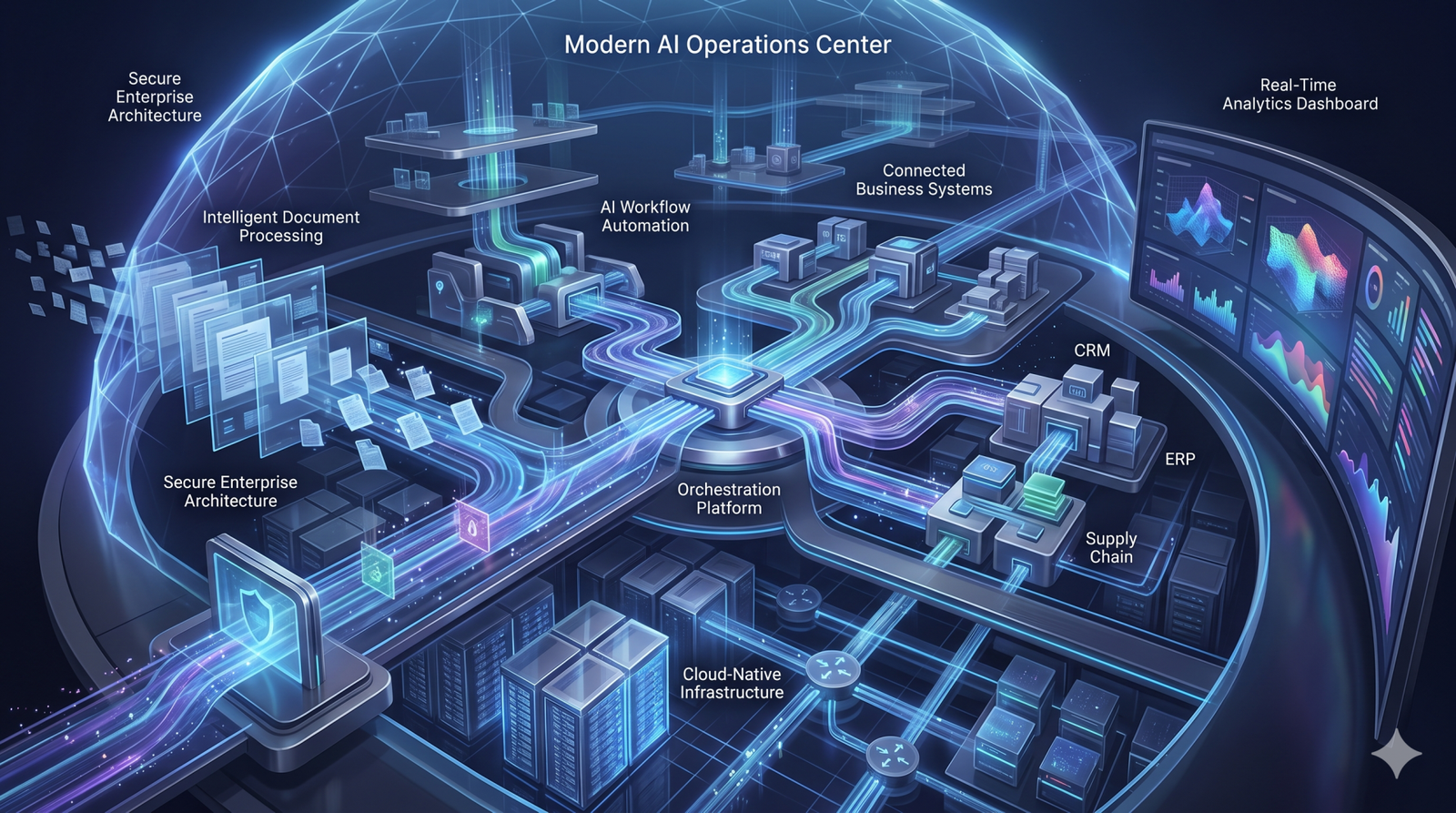
The model is one component inside the system. The orchestrator owns process state and recovery; authorization controls access; tools perform application actions; and observability records the execution path.
Frequently Asked Questions
What is enterprise AI workflow automation?
It is the orchestration of business processes that combines model-driven decisions with explicit rules, tools, permissions, approvals, state, and operational controls.
When should a workflow use an agent instead of deterministic logic?
Use an agent where language understanding or variable planning adds value. Keep authorization, policy, irreversible actions, and required process steps deterministic.
Which tool calls should require human approval?
Approval is appropriate for actions with material financial, legal, security, customer, or operational consequences. Low-risk reads may not need the same gate.
How should enterprise workflows handle tool failures?
Classify failures as retryable or permanent, use idempotency for repeatable operations, persist state, and define explicit recovery or compensation paths.
What should be monitored in production?
Monitor workflow completion, step failures, tool errors, approval latency, retries, end-to-end latency, cost, intervention rate, and security-relevant events.
Conclusion
Enterprise automation should not mean giving a model unrestricted control of a business process. The production pattern is a controlled workflow where intelligent components operate inside explicit permissions, approval gates, reliability policies, and observable execution boundaries.
For adjacent implementation guidance, see AI agent testing and governance, production LLM evaluation, and enterprise chatbot architecture.
Glossary & Key Architecture Definitions
- • Workflow automation: an orchestrated process that executes defined steps and decisions. Tool calling: allowing a model or agent to request a specific application function. Human-in-the-loop: pausing execution for human input or approval. Idempotency: safely repeating an operation without creating unintended duplicate effects. Guardrail: a control that constrains inputs, actions, or outputs.
Engineering Research & Citations
- [1] Microsoft Agent Framework workflow guidance: https://learn.microsoft.com/en-us/agent-framework/journey/workflows | Microsoft human-in-the-loop approvals: https://learn.microsoft.com/en-us/agent-framework/workflows/human-in-the-loop | Microsoft AI agent shared responsibility: https://learn.microsoft.com/en-us/azure/security/fundamentals/shared-responsibility-ai-agent
No perspectives submitted yet. Be the first to start the discussion.